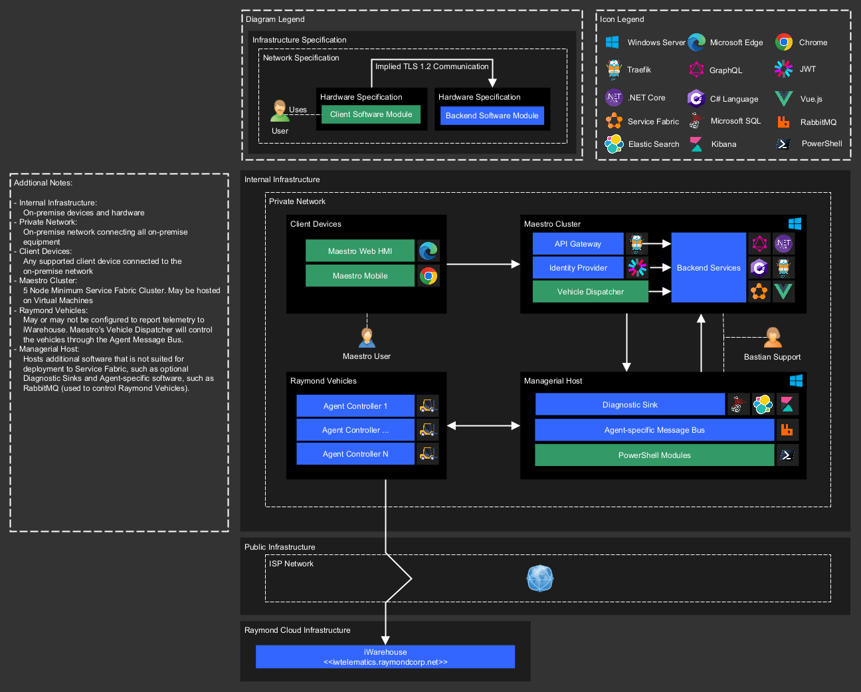
Deployment Options
On Premise
Deployment option to be used when Exacta Maestro™ is required to be deployed on an on premise server.
Key Functions
- For customers requiring an on-premise solution
- Customer-managed IT Infrastructure
- Local VLAN dedicated for the automation usage
- Push of data to external cloud for analytics and system health monitoring
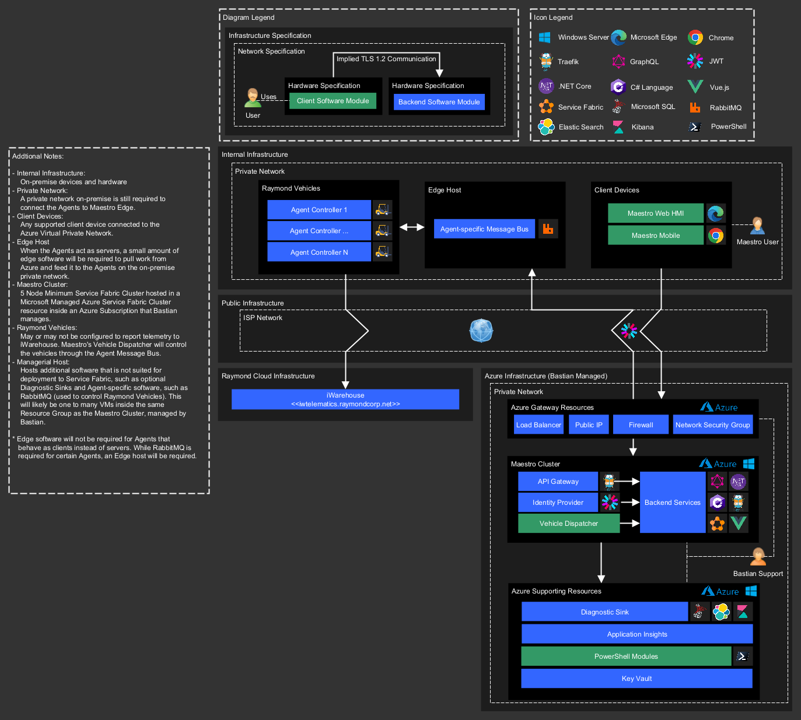
Private Azure Deployment
Deployment option to be used when Exacta Maestro™ is going to be deployed to a stand-along cloud instance and maintained by Bastian Solutions
Key Functions
- Cloud hosted private Azure space
- Bastian managed IT space
- High tier, dedicated cloud resources specific to a customer or site
- Encrypted connection to customer host systems
- Encrypted connection to devices on premise
- Communication from server to devices
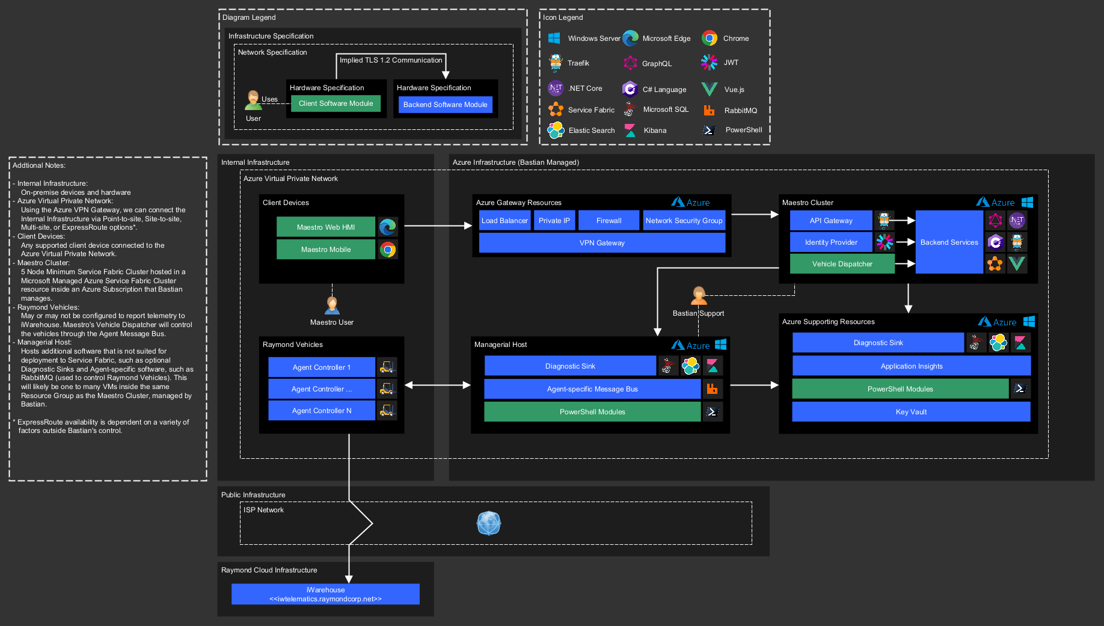
Public Azure Deployment
Deployment option to be used when Exacta Maestro™ is going to be deployed to a shared cloud instance and maintained by Bastian Solutions
Key Functions
- Cloud hosted private Azure space
- Bastian managed IT space
- Shared cloud resources across multiple Bastian customers (data integrity preserved)
- Encrypted connection to customer host systems
- Encrypted connection to devices on premise
- Communication from server to devices (FUTURE: Bidirectional communication)